

An employee’s account is disabled, but a scheduled report stops running. A shared proposal disappears after their account is deleted. A paid seat remains on the invoice even though nobody uses it. These problems happen when offboarding is treated as a single “remove user” task.
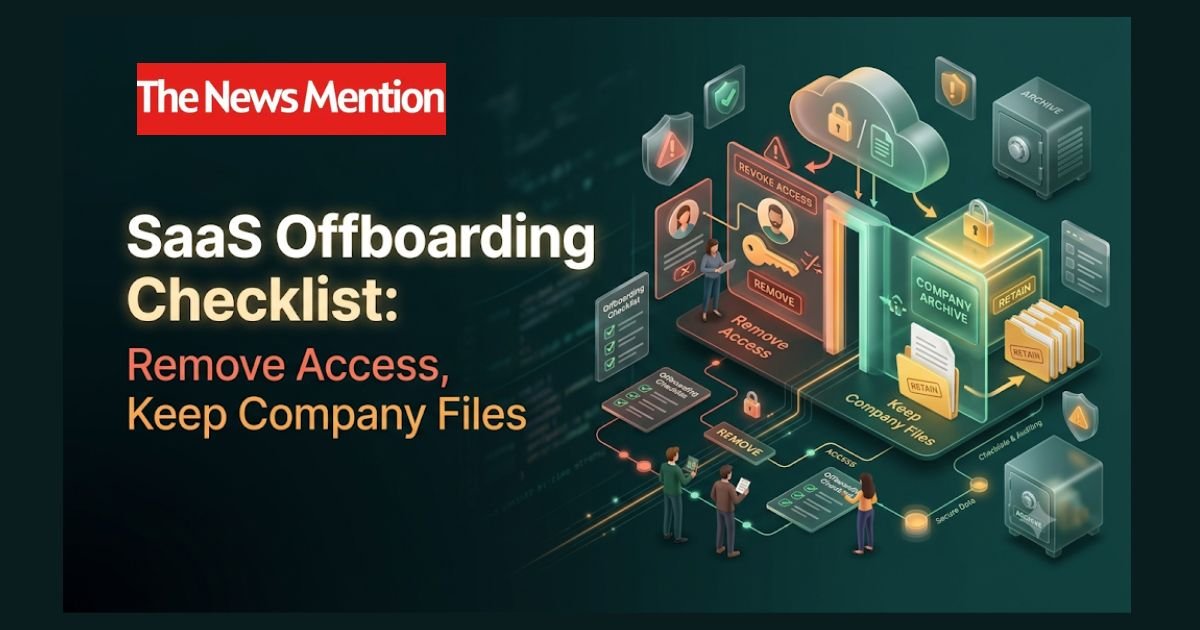
A SaaS offboarding checklist should coordinate four outcomes: remove the departing employee’s access, transfer business responsibilities, preserve required records and recover licenses when the contract allows. Each needs an owner and evidence of completion.
The safest approach is to prepare preservation and handover before a planned departure, then block access at the approved cutoff. For an urgent security-sensitive exit, contain access immediately while administrators preserve and transfer data through authorized processes. Do not wait for the employee to complete a handover before securing an account that presents a risk.
Information verified as of November 3, 2026. This guide covers company-managed accounts. Follow your organization’s approved retention, privacy and employment procedures.
The offboarding checks that matter most
- Set an exact access cutoff, including the time zone, and name the person responsible for coordinating it.
- Check both centrally managed sign-ins and accounts created directly inside individual apps.
- Revoke sessions and tokens as well as blocking future sign-ins.
- Transfer files, projects and automation ownership before deleting accounts where feasible.
- Confirm retention requirements before removing licenses or deleting data.
- Track license reassignment separately from an actual reduction in subscription charges.
An owner-based SaaS offboarding checklist
Use this checklist as a working ticket. Assign a named person to each row, record the actual completion time and link supporting evidence. In a small business, one administrator may handle several roles, but the responsibilities should still be explicit.
| Owner | Action | Completion evidence |
|---|---|---|
| HR or departure coordinator | Approve the departure date, access cutoff, time zone, notification plan and escalation contact. | Approved offboarding ticket and timing. |
| Manager | Identify company files, customer work, projects, dashboards and recurring responsibilities. | Handover inventory with receiving owners. |
| Records or legal owner | Determine applicable preservation requirements, holds and approved deletion timing. | Recorded retention instructions and approvals. |
| Identity administrator | Disable relevant sign-ins and revoke supported sessions and tokens at the approved cutoff. | Administrative logs and action timestamps. |
| Application owners | Disable local accounts, remove roles and memberships, and check provisioning results. | App-level status or audit evidence. |
| Data administrator and manager | Transfer required files, projects, calendars and business responsibilities. | Destination links and acceptance by the new owner. |
| Automation or engineering owner | Replace personal credentials used by approved integrations and test essential workflows. | Credential-change record and successful test result. |
| Device or security administrator | Recover equipment and apply authorized company-data removal or device controls. | Asset receipt and management-system result. |
| Billing administrator | Recover or reassign eligible seats and request contract-permitted quantity reductions. | License status and effective billing-change date. |
| Coordinator and reviewer | Verify access removal, continuity, preservation and unresolved exceptions. | Reviewer sign-off or documented open exceptions. |
“Requested” is not the same as “completed.” If a vendor ticket, file transfer or provisioning task is still pending, keep the corresponding checklist item open.
1. Find every account before starting employee software access removal
Start with the employee’s identity-provider application list, group memberships and administrative roles. Then compare that list with your software register, expense records and the manager’s handover inventory.
Look beyond email and document storage. Include customer relationship management systems, project tools, source-code platforms, design apps, password managers, hosting accounts, social publishing tools, AI services and payment or purchasing portals.
For each app, record the login identity, authentication method, administrator, business owner and whether the employee owns anything the team still needs. Check for personal-email invitations, guest accounts and separate workspaces where the same person may have another account.
Do not assume the employee’s main work email is the only identity involved. Account discovery should cover alternate addresses and known aliases without expanding into unrelated personal accounts.
2. Decide what must be preserved before deletion
Removing access and deleting records serve different purposes. A suspended account, an archived account, a legal hold, an export and a backup are also different controls. Choose the appropriate combination before making an irreversible change.
For Microsoft 365 accounts, our backup vs retention guide explains how preservation rules, built-in recovery and configured backups address different needs. Review these distinctions before deleting an account or changing licences.
Ask the records owner which material must remain available, who may access it and when it can be deleted. Avoid a universal rule such as “keep every mailbox for 90 days.” Requirements depend on the organization, the records involved and any applicable preservation instructions.
Microsoft’s former-employee guidance separates access blocking, mailbox preservation, OneDrive access and license removal. It also identifies legal holds as a distinct capability. Follow the relevant product instructions rather than treating account deletion as the first step.
Google offers archived-user accounts for retaining former employees’ data while preventing access to Google Workspace services. Eligibility, licensing and retention capabilities need to be checked for your edition; archived data still counts toward pooled storage.
3. Block sign-in and revoke sessions and tokens
At the approved cutoff, the identity administrator should block the relevant account and perform the platform’s supported session-revocation steps. Application owners should then check services with independent logins or sessions.
A password reset alone is not a complete access-removal process. Google’s departing-employee security guidance separately addresses recovery methods, OAuth application tokens, sign-in cookies, security keys and application-specific passwords.
Microsoft’s access-revocation documentation explains that an application can issue its own session token. Microsoft Entra cannot directly revoke a session issued by that application, and access revocation can involve a delay. This makes app-level verification necessary.
- Check central identity status and supported session-revocation results.
- Disable direct app logins and remove administrator privileges.
- Remove relevant groups, workspace memberships and guest access.
- Review personal access tokens, app passwords, API keys and authorized integrations.
- Check shared credentials the employee knew and rotate them through an approved process.
- Verify that automated provisioning completed successfully in each connected app.
Record failures and vendor-dependent delays as exceptions with an owner. Do not promise that one central action instantly removes every possible route into every connected service.
Use the same ownership discipline when introducing new sign-in methods. Our passkey rollout checklist covers approved authenticators, backup access and recovery checks, helping teams document how credentials are managed throughout an employee’s time with the company.
4. Transfer account ownership and company files carefully
“Transfer account ownership” can mean several things: changing a workspace’s primary owner, assigning a project administrator, transferring individual files or replacing the billing contact. Treat these as separate tasks when the product does.
For every important asset, name the destination and receiving owner. Include customer folders, proposals, dashboards, scheduled meetings, forms, design libraries, repositories and reports. Confirm that the recipient can perform the required work with their own authorized account.
Google Drive: ownership transfer does not remove access
Google’s administrator file-transfer guidance states that transferring ownership does not change who can access the files. The former owner can retain editing permissions unless access is separately removed or the account is deleted.
The documented admin transfer also has eligibility conditions, including internal organizational ownership and an active receiving account with sufficient storage. Holds can affect whether a transfer is available. Check those conditions, verify completion and review permissions separately.
OneDrive: confirm the destination and retention arrangements
Microsoft’s current departing-employee file-transfer guidance describes manager or secondary-owner delegation when configured, along with options to move files while retaining sharing permissions.
Retaining sharing can support continuity, but it is not proof that every existing permission is still appropriate. Check the destination, intended collaborators and access boundaries. Do not assume an account-cleanup email means someone has completed the transfer.
Slack: identify primary ownership before deactivation
Slack’s member-deactivation guidance says a Workspace Primary Owner must transfer ownership before that account can be deactivated. Check ownership early so the departure does not leave the team dependent on an unavailable administrator.
5. Replace personal dependencies in automations
Some of the hardest handover failures involve work nobody sees: a scheduled export, a CRM connector or a report authorized through the departing employee’s account.
Use an automation inventory with four fields: workflow, credential owner, receiving owner and test result. Where the platform supports it, move ongoing business processes to an approved company-managed service identity with suitable permissions and accountable ownership.
For a planned departure, prepare replacement credentials and test the handover before the cutoff. For an urgent departure, revoke the person’s access immediately and have the authorized team restore essential workflows through a controlled process.
For example, a fictional marketing coordinator owns a weekly reporting integration and its output folder. Offboarding requires both replacing the integration credentials and confirming that the new owner can access the report destination. Transferring the folder alone will not resolve a revoked connector.
AI services need the same review. Check shared assistants, uploaded knowledge files, connected apps and scheduled tasks. Our human-reviewed AI email workflow provides a useful model for documenting who owns an operational process and who approves its output.
6. Check devices, shared links and copies
Account controls govern access to the service. They do not automatically retrieve files someone has already downloaded, printed or copied elsewhere.
Coordinate equipment return and company-data handling through your authorized device-management process. For personal devices, apply only the controls permitted by company policy and the relevant management arrangement. A complete device wipe is different from removing a managed company profile.
Review sensitive sharing links and external invitations as well. A publicly accessible link may remain usable independently of the employee’s disabled account. Remove or restrict unnecessary access without disrupting approved customer and partner collaboration.
7. Complete SaaS license recovery without losing required data
SaaS license recovery can mean freeing a seat for reassignment, reducing the purchased quantity or ending an entire subscription. These actions have different commercial and data consequences.
Before removing a license, confirm that required preservation and file access will continue under the product’s applicable rules. Check any archive, mailbox, storage or retention licensing requirements instead of assuming that an unlicensed account can remain indefinitely.
Then update the software register with the recovered seat, reassignment decision and effective billing-change date. A seat can become available for another employee while the contracted subscription charge remains unchanged.
Use our SaaS renewal tracker template to record when a quantity reduction is permitted and who must request it. Keep expected savings separate from a vendor-confirmed reduction.
8. Verify the result before closing the ticket
A completed offboarding ticket should demonstrate both restricted access and continued business operation. Ask a reviewer to check these outcomes:
- The identity and relevant application accounts show the intended disabled or archived state.
- Session, token and credential actions have recorded results.
- The receiving owner can open and use essential files and projects.
- Important integrations run under approved credentials.
- Records are preserved under the documented retention instructions.
- Recovered seats and billing changes are recorded accurately.
- Every unresolved exception has an owner, next action and review date.
Keep evidence references and administrative timestamps in the ticket, not passwords or secret tokens. If a vendor cannot confirm revocation or a transfer fails, leave the issue open and escalate it rather than marking the whole departure complete.
Close access while keeping the business working
A useful SaaS offboarding checklist gives every action an owner and a verifiable result. Access should end at the approved cutoff, company work should have a receiving owner, required records should remain protected and license recovery should follow the contract.
Save this checklist with your departure procedure and review it whenever your software stack changes. Share it with HR, managers, IT and finance so the next handover does not depend on one person remembering every account.
Frequently asked questions
What should a SaaS offboarding checklist include?
Include an approved access cutoff, account inventory, named owners, session and token revocation, file and responsibility transfers, record-preservation instructions, device handling, license recovery and completion evidence. Track unresolved exceptions separately.
Does disabling single sign-on remove access to every app?
Not necessarily. Apps may have independent sessions, local logins, guest accounts or credentials outside the central identity provider. Verify access removal in each relevant application and check that provisioning actions completed successfully.
Should I delete an employee’s account immediately?
Block access at the approved time, but do not automatically equate that with immediate deletion. First confirm preservation requirements, transfer company assets and review the product’s retention and licensing rules. An urgent security response can proceed while authorized administrators handle preservation.
Does transferring files remove the former employee’s permissions?
Not always. Ownership and access permissions are separate. Google Drive explicitly states that an ownership transfer does not change existing access. Review sharing, inherited permissions and account status after the transfer.
Does recovering a SaaS license immediately reduce the bill?
No. Recovering a seat may allow reassignment without reducing the purchased quantity or current charge. Savings depend on the agreement, billing model and permitted reduction date. Confirm the change with the vendor and record when it takes effect.
Sources & Fact-Checking
Reviewed on November 3, 2026: official Google Workspace, Microsoft and Slack documentation covering departing-user security, file transfers, account archiving, access revocation and ownership requirements. These primary sources describe their own platforms; they do not establish identical behavior across all SaaS products.
- Google Workspace: Maintain data security after an employee leaves — supports separate checks for recovery access, application tokens, sign-in cookies and app passwords.
- Google Workspace: Transfer Drive files to a new owner as an admin — supports transfer eligibility, completion checks and the distinction between ownership and access.
- Google Workspace: Archive former employee accounts — supports the distinction between retaining data and allowing user access.
- Microsoft Learn: Remove a former employee and secure data — supports coordinated access blocking, preservation, data handover and license removal.
- Microsoft Learn: Revoke user access in Microsoft Entra ID — supports app-specific session checks and explains possible revocation delays.
- Microsoft Support: Simplified file transfer for departing employees — describes current delegation, transfer and sharing options; no rollout date is assumed.
- Slack: Deactivate a member’s account — supports role-dependent deactivation and primary-owner transfer requirements.
The owner-based checklist and fictional automation example are original editorial guidance. No live employee accounts were tested, and no universal retention period, immediate session-revocation guarantee or automatic cost saving is claimed. Confirm tenant settings, current vendor instructions and approved preservation requirements before making irreversible changes.
